Antivirus

5 reasons why VPN services are so essential right now

There’s no doubt that the popularity of VPNs – or Virtual Private Networks – has soared since the outbreak of Covid-19 across the globe.And it’s really easy to see why. Whether it’s folk wanting to protect themselves and their data while working at home thanks to those watertight encrypted tunnels, as an avenue to stream…

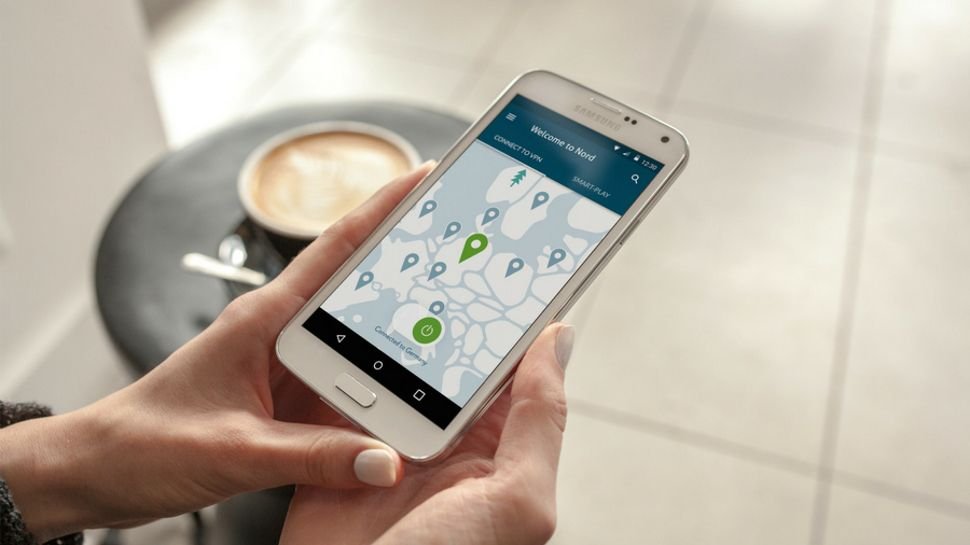
There’s no doubt that the popularity of VPNs – or Virtual Private Networks – has soared since the outbreak of Covid-19 across the globe.

And it’s really easy to see why. Whether it’s folk wanting to protect themselves and their data while working at home thanks to those watertight encrypted tunnels, as an avenue to stream a world of Netflix content, or simply to get around blocked websites – downloading a VPN with pre-installed settings and protocols can help.

When you connect to a secure VPN, you’re able to browse the web with complete anonymity. That’s because a good VPN service will hide your actual location, letting you browse without ever leaving a ‘physical’ trace.

More than that, VPNs also block your ISP from tracking your every move on the internet. Whereas incognito mode simply hides your browsing history from your browser, a VPN lets you hide your traffic from your ISP. Connecting to a VPN server essentially ‘masks’ your location, connecting you to a location in another area, making it difficult for your ISP to see – and therefore block – the sites you’re accessing.

This is especially important if you’re concerned about your internet browsing history. Back in 2017, the US government gave ISPs the power to package and sell user data. That means everything you do online could become fodder for marketers or insurance companies. If that sounds spooky to you, then using a VPN is a great way to keep your digital life private.

2. Encrypt your network

Cybersecurity is an increasing headache, as hackers and malware become ever more prevalent, and that situation isn’t likely to improve any time soon. So it’s a sound idea to use a VPN to encrypt your internet connection )alongside your usual antivirus software), allowing you to browse without worrying about exposing your network. This is especially helpful when you’re traveling and find yourself browsing via public Wi-Fi hotspots (in hotels for example).

ExpressVPN, NordVPN, IPVanish, Surfshark and other top-tier VPN providers use AES (Advanced Encryption Standard) encryption. That means your network is fully encrypted, making it near impossible for anyone to see what you’re doing online, whether you’re browsing on a secure network or an open one.S

Better yet, if you set up a VPN on your router, you can encrypt the traffic of all the devices in your house. That way you never have to remember to turn on the VPN each time you boot up your computer or switch on your phone.

This is one of the defining differences between VPNs and proxy servers and sites: whereas a proxy only covers a single device’s web traffic, you can hook up your VPN to a router to cover every device in your network. Many small- and medium-sized businesses have begun installing VPNs on their office networks. It’s an upward trend that’s only expected to gain momentum as cybercrime becomes more prevalent.

3. Stream content from anywhere in the world

When it comes to watching content from abroad – whether it be unblocking Netflix or Hulu – getting the best gaming vpn can both improve your gaming experience and help you access a wider range of streaming services to watch your favorite shows or open up a world of new content to devour.

Connecting to a VPN automatically changes your IP address. Sites (or, at least, content on those sites) that may be blocked in your region become readily available, making it possible to access any site and service from virtually anywhere in the world.

You can also use a VPN to torrent and download without having to worry about your ISP zeroing in on your online activity. Most VPNs come with unlimited bandwidth and server switches, which means there are no data caps restricting the amount of content you’re able to access. It also means you can endlessly hop from location to location, which is useful when content is only available in certain areas.

(Image credit: Shutterstock)

4. Avoid network throttling

With the net neutrality repeal, ISPs in the US now have more power over how they market their services, which means users can soon expect some sites to load faster – while others may load much, much slower.

In the UK, traffic throttling (or shaping) is an accepted fact that is detailed and documented by most of the country’s big ISPs (the likes of Virgin Media, BT, and Plusnet).

Fortunately, a VPN service can help reset your online network to its original settings and allow you to browse, stream, and download without having to worry about slow-loading sites.

More than that, it’s a simple and effective way to fight back against the status quo. Privacy advocates say using a VPN to slip through the cracks and browse normally isn’t only recommended, it’s encouraged.

And while it’s entirely possible that Comcast, AT&T and other internet providers could one day ban VPNs, the staggering amount of both business and everyday VPN usage makes this a very unlikely scenario.

5. Find better deals online

This lesser-known VPN trick is a great way to save on flights and hotels. By connecting to a VPN server outside your home region and comparing prices online, you might be able to save a significant amount of money on rentals and airfares.

That’s because most sites (including Kayak and Priceline) actually charge different amounts based on a user’s IP address. Start by checking prices in and around your location. Then try comparing prices between different cities and, if possible, nearby states.

After that, try switching your VPN location to a few different countries and check the same prices. It’s a fairly simple trick, though it’s worth taking the time to do a more wide-ranging search – that way you’ll cast a more expansive net for trying to find the best deals.

Next time you’re looking for cheap flights, try using a VPN to check prices from different countries – just remember to browse in incognito mode and clear your cookies after each visit.

  • Check out the best free VPN services

Read full review

Pricing
12 months

12 months

24 months

38 months

Compatible devices
AndroidiOSLinuxWindowsXboxPSN
AndroidiOSPSNWindowsXbox
AndroidiOSMacOSLinuxWindowsChromeFirefox
WindowsiOSLinuxAndroid
Simultaneous connections
5
5
Unlimited
5
Number of locations
160
60
60
50
Works with
FacebookTwitterNetflixiPlayerYoutube
FacebookTwitterYoutube
Unlimited bandwidth
P2P Traffic
Best for
Everything – the #1 best VPN
Torrenting and P2P traffic
Trial period
Unlimited Bandwidth

Read More

Be the first to write a comment.

Leave a Reply

Your email address will not be published. Required fields are marked *

Antivirus

New “Zombie ZIP” attack can evade most antivirus scanners

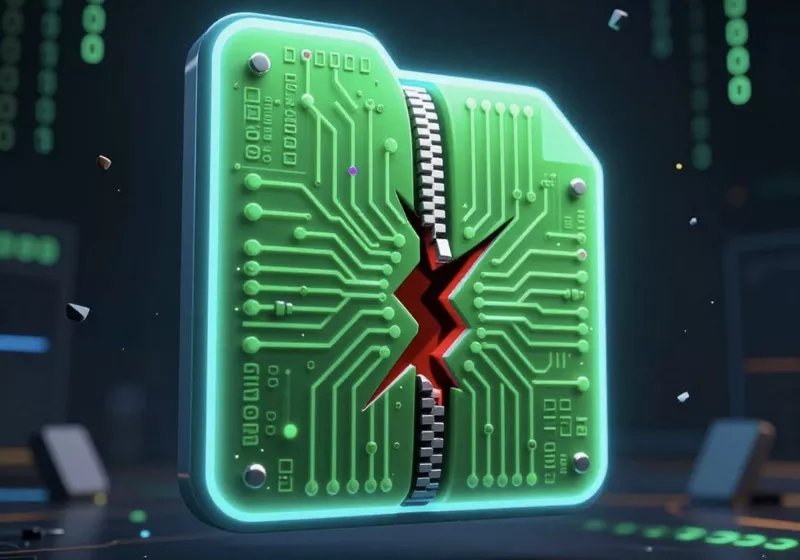
Known as Zombie ZIP, the method hides malware inside a deliberately malformed compressed archive. According to its creators, most antivirus engines currently fail to detect the threat, potentially giving attackers a new delivery mechanism. At the same time, some researchers argue the technique is less a vulnerability and more a…Read Entire Article…

Known as Zombie ZIP, the method hides malware inside a deliberately malformed compressed archive. According to its creators, most antivirus engines currently fail to detect the threat, potentially giving attackers a new delivery mechanism. At the same time, some researchers argue the technique is less a vulnerability and more a…Read Entire Article…
Read More

Continue Reading
Antivirus

Your antivirus is probably slowing your PC more than protecting it

Antivirus is one of the first things most people install on a new PC. After all, nobody wants malware ruining their PC or, worse, stealing their data. And to be fair, most popular antivirus suites do a decent job of protecting your PC. But the problem is, they aren’t exactly optimized to be lean or

Antivirus is one of the first things most people install on a new PC. After all, nobody wants malware ruining their PC or, worse, stealing their data. And to be fair, most popular antivirus suites do a decent job of protecting your PC. But the problem is, they aren’t exactly optimized to be lean or lightweight. And things have become even worse ever since antivirus suites have started bundling extras like VPNs, parental controls, and browser add-ons.

All of this leaves the apps and games you actually use with fewer resources, which causes frequent slowdowns and even lag. So the uncomfortable irony is that the software meant to protect your PC ends up being the very thing holding it back.

How antivirus software can slow down your PC

When constant protection becomes constant pressure

Antivirus softwares love to present themselves as silent protectors. Always watching, always keeping you safe, and never getting in your way. Sure enough, part of this is true. They work in the background, but it’s not without any impact.

Antivirus programs work by scanning files as they are opened, downloaded, copied, or modified. That means every app you launch and every document you touch triggers a quick inspection. There are also the scheduled scans, which often run when you least expect them. So if your PC has ever felt slow, even when you’ve got nothing running, it’s probably the antivirus program combing through your files in the background.

Now, the performance hit isn’t the same every time. During light, routine scans, the impact can be minimal, anywhere from 0 to 20 percent. However, during full or partial scans, this can rise up to as high as 50 percent. The impact also varies depending on the antivirus program you’re using. Some are lightweight and efficient, while others are far more demanding.

Most of the time, you may not even notice this slowdown. But as soon as you start gaming, editing videos, or running any resource-intensive apps, the story will change. That’s when both your app or game and antivirus program start to compete for the same system resources, and the performance takes a hit.

To make matters worse, modern antivirus rarely sticks to just antivirus duties. Most of them come bundled with all sorts of extras, like VPNs, password managers, and system optimizers. All of these extras run separate processes. So yes, it’s not just one program you’re dealing with. Your PC is actually running multiple different software under a single name.

You can verify if the antivirus is the bottleneck

Be sure before you act

!–>

Read More

Continue Reading
Antivirus

If you’re struggling to play tactics sim Menace, it could be because your antivirus is randomly deleting files

This week saw the early access launch of turn-based tactics game Menace, created by the piss-swigging misanthropes behind Battle Brothers. Julian has been having a wonderful time playing it and learning about the importance of spare ammo and adequate reconnaissance. It could have been worse, Julian…

This week saw the early access launch of turn-based tactics game Menace, created by the piss-swigging misanthropes behind Battle Brothers. Julian has been having a wonderful time playing it and learning about the importance of spare ammo and adequate reconnaissance. It could have been worse, Julian…
Read More

Continue Reading
Antivirus

You don’t need to pay for third-party antivirus software to protect your PC anymore

Summary Most consumer devices already come with strong default security measures equivalent to or better than third-party software. Common vectors of attack for malware are already blocked by modern systems before they even reach your antivirus program. Individual consumer PCs are not a primary target for cybercriminals, and cyberattacks are often conducted by exploiting vulnerabilities

Summary

  • Most consumer devices already come with strong default security measures equivalent to or better than third-party software.
  • Common vectors of attack for malware are already blocked by modern systems before they even reach your antivirus program.
  • Individual consumer PCs are not a primary target for cybercriminals, and cyberattacks are often conducted by exploiting vulnerabilities against third-party software, not the computer OS itself.

Do you still pay for third-party antivirus software like Norton or McAfee? You may be surprised to learn that there’s no real benefit to doing so. Software like this is mostly obsolete today.

Who pays for third-party antivirus software, and why?

It might sound like a bold claim, saying that you don’t need third-party antivirus software anymore. After all, recent statistics show that roughly half of American consumers use such programs. Interestingly enough, those same statistics also show that users over 65 are more than twice as likely to subscribe to paid antivirus software than those under 45.

Why is that? Well, there is certainly more than one reason, but a big one is simply misunderstanding and tradition.

In the past, having third-party antivirus software was prudent, almost mandatory to keep your computer safe. Some people who grew up in that era are comfortable with the idea of paying for these subscriptions, not realizing that things have changed: your computer protects itself just fine these days.

Not only do computers come out of the box equipped with incredibly good security these days, but most malware threats aren’t even targeting individual consumers. But you don’t have to take my word for it right away. Let’s dive into this in more detail.

Default security measures are more than enough today

All of your consumer devices come with default protection right off the shelf. With iOS and Android, their official app stores weed out malware and keep you safe. Mac has been using XProtect anti-malware for more than a decade, and it has an excellent record.

A screen showing an update for Windows Defender on Windows 11. Credit: Microsoft

Windows has Microsoft Defender Antivirus, which has consistently aced security tests run by third-party organizations. Since around seven years ago, Defender Antivirus has consistently earned perfect or near-perfect scores in protecting your PC.

Needless to say, that’s as good as it gets, and the program comes free with your Windows computer. There’s no paid antivirus software that can outperform this free, default option from Microsoft. They may offer more features, but not more practical benefits. But even beyond these built-in systems, there are other re

Read More

Continue Reading