Do I really need antivirus for Windows 10?

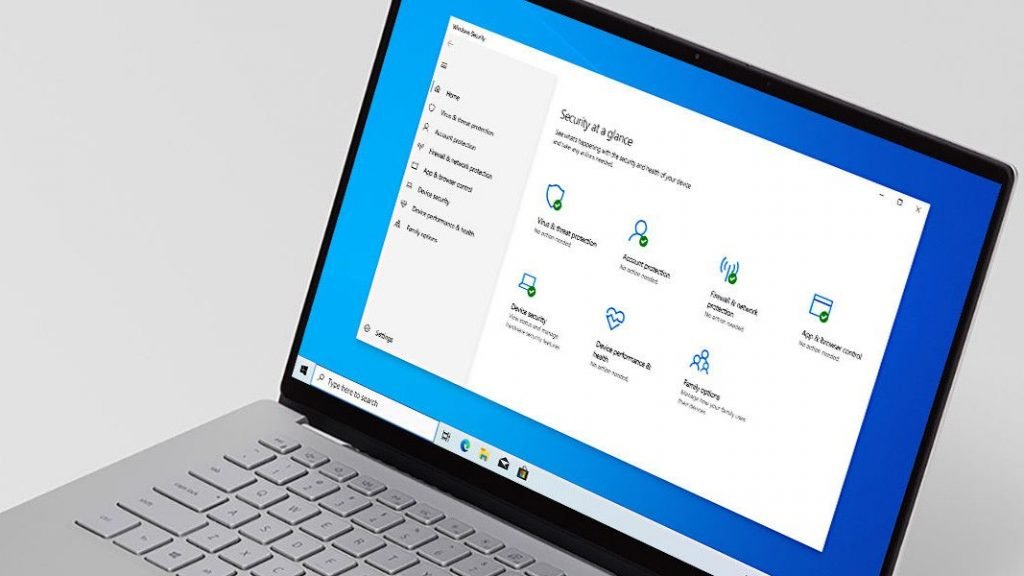
If you’re running Windows 10, should you get an antivirus app? There are certainly some good reasons to do so, as we’ll explore in this article, not the least of which is that Microsoft’s operating system is so popular that it makes a seriously tempting target for malware authors in terms of the potential spoils to be gotten.
- Our definitive list of today’s best Windows 10 antivirus programs
- Looking for even more protection? Grab a great VPN for PC
- See why we rate Bitdefender so highly in our testing
Big target
Windows 10 is the most widely used desktop operating system in the world, and as the OS of choice for many PCs everywhere, it represents a broad and juicy target for malware authors.
unwise folks who remain on Windows 7) are the biggest targets for malware authors.
Now, it’s true that in recent times, malicious actors are giving Apple’s Mac platform more attention, but Windows is still the operating system which is most under threat, of course. Particularly when it comes to malware, with Mac threats tending to be the likes of potentially unwanted programs (known as PUPs) or adware. The vast majority of the really malicious stuff is hurled at Windows machines.

Threat level
Going by the latest ‘state of malware’ report covering 2019 from Malwarebytes [PDF], the amount of malware detections may be remaining at the same level as the previous year, but it’s still a large quantity – and what’s worrying is that these threats are becoming more sophisticated in general. (Note that other security outfits have pointed to a growth in malware over the course of 2019, like Kaspersky).
Clearly, there’s no shortage of perils out there online, with Malwarebytes observing that adware and Trojans (apps that look like legitimate programs, but deliver a malware payload) remain a major problem for Windows machines. Furthermore, there’s a disturbing increase in the use of ‘HackTools’, which as the name suggests are tools facilitating hacking into PCs, and are now being used against consumers (rather than just businesses), with a 42% year-on-year increase.
The likes of ransomware remain a threat to your files, exploiting crises in the real world to try to trick unsuspecting users, and so broadly speaking, the nature of Windows 10 as a big target for malware, and the growing sophistication of threats are good reasons why you should bolster your PC’s defenses with a good antivirus.
Windows Defender?
So, having established the need for an antivirus on Windows 10 – and elsewhere, we’ve addressed the broader question of whether antivirus software is necessary at all in 2020 (the answer being ‘yes’, in a word) – let’s come onto another point that some folks might argue.
Namely that with Windows 10, you get protection by default in terms of Windows Defender. So that’s fine, and you don’t need to worry about downloading and installing a third-party antivirus, because Microsoft’s built-in app will be good enough. Right?
Well, yes and no. Windows Defender used to be something of a laughing-stock in security circles, but all that’s now in the past. The Defender of today is actually a robust app that can indeed defend your PC true to its name, and has actually achieved some impressive rankings in the reports from independent test labs.
However, the truth is that while Windows Defender is a solid enough solution you can rely on, there are third-party antivirus apps which offer more functionality, and are still free – they just take a little effort to install.
So if you can take a little time out, it’s worth installing one of the leading free antivirus apps to replace Windows Defender in order to get more features and better security still – and indeed avoid a potential fly in the ointment in terms of Microsoft breaking Defender, which has happened a couple of times in the recent past.
It’s also worth considering that if you want to considerably beef up the levels of security on your PC with extra layers of defense like anti-ransomware shields or added web browsing protection, you might even want to consider a paid antivirus.
Do I really need antivirus for Windows 10?
Whichever way you dice it, it would seem to be a wise choice to get an antivirus for Windows 10, and make the effort to upgrade from the default levels of security provided by Windows Defender. After all, it’s easy enough to grab a decent free app to help keep you even safer online.
- Read more: How to choose the best antivirus for you
Be the first to write a comment.