Is Windows Defender good enough for your PC?

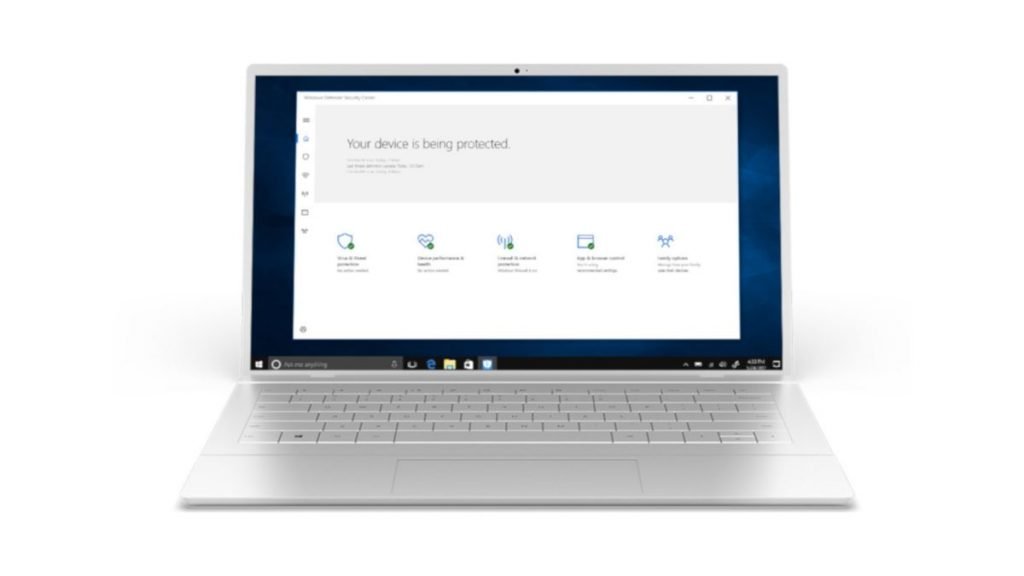
Windows Defender is the antivirus solution which comes built-in with Windows 10. In other words, Windows Defender provides antivirus defenses right out of the gate after installation – which is obviously very convenient.
That’s all fine in theory, but if you’ve come to read this article, you’re doubtless wondering about the quality of Windows 10’s integrated antivirus protection.
Windows 10 antivirus app to keep your PC safe from all the malware out there?
- Our definitive list of today’s best antivirus software
- Looking for even more protection? Grab the best VPN
- See why we rate Bitdefender so highly in our testing
Past history
Now, in the past, the answer to this question has been that you shouldn’t rely on it. Common wisdom used to be that Windows Defender might be better than nothing, but only just – and you should replace it with a third-party antivirus alternative as soon as possible. But we’re happy to report that’s no longer the case.
In fact, things have turned around so much, that Windows Defender was actually rated as the best antivirus solution around by an independent testing lab in 2019 (although AV-Test ranked it joint top with three other products, but those solutions were paid-for suites, not a free antivirus like Microsoft’s effort).
Let’s not get carried away here, though. The most recent independent test lab reports on Windows Defender aren’t quite so glowing, but broadly speaking they are still average-to-good, and there’s no disputing that it provides a solid level of protection from all the viruses floating around out there. Defender offers anti-ransomware protection these days, too, and even has basic parental controls to help keep your kids safe online.
Reputational hangover
So that’s all good, but part of Microsoft’s antivirus solution’s problem today is the hangover from its past reputation, and the perception that it’s somehow still a bit of a wobbly anti-malware app – despite these impressive recent results.
Sadly, there is still very much a reputation-related problem here, although it’s not with Defender’s anti-malware abilities any longer. The issue lies with Microsoft itself, and its bad habit of breaking things constantly with Windows 10; mistakes which have at times reportedly had the knock-on effect of throwing spanners in the Windows Defender works. Or we’ve seen straight-up cases of Microsoft simply breaking things with Defender updates themselves, and none of this particularly instils confidence.
Also bear in mind that there are drawbacks with Windows Defender’s features not being too well fleshed out. For example, those parental controls we mentioned aren’t all-encompassing – the browser filter only works with Microsoft Edge and Internet Explorer, but unfortunately not with alternative browsers like Chrome or Firefox. Generally speaking, configuration options are somewhat lacking with Defender, too – as explained in our most recent Windows Defender review.
Weighing this all up
On balance, Microsoft’s antivirus gives you a robust level of protection from malware – it’s done very well in some independent testing – and there’s nothing wrong with using it as your main line of defense. It’s very convenient to have it integrated in Windows 10, and it’s definitely a good thing that Microsoft provides this protection by default for less tech-savvy users who might know very little about protecting themselves online.
Windows Defender is now keeping pace with the better options in the free antivirus pack, but that said, it still isn’t the best option in terms of functionality, plus issues remain around its reputation – or rather Microsoft’s broader bug-ridden reputation of late.
And there’s the rub: those who are willing to put in a bit of effort to change and install an alternative will find better cost-free protection – and more features – from the leading free antivirus providers.
Is Windows Defender good enough for your PC?
Windows Defender is good enough to defend your PC and uphold the promise of its name, and there’s nothing wrong with it as such. But in all honesty, the leading free antivirus alternatives like Bitdefender or Kaspersky are better, and it really isn’t all that much effort to install another app to replace Defender. Which is why our answer to the titular question ultimately has to be: yes, but no.
- Read more: grab yourself a free VPN download, too
Be the first to write a comment.