Antivirus

Norton AntiVirus Plus: what is it and what’s included?

Norton is well known as one of the top antivirus brands available, with a wide range of products and services to suit differing needs and budgets. In this article, we’ll go over the many features of Norton’s entry-level antivirus package, Norton AntiVirus Plus, including what devices it can be used on.We’ll also look at how…

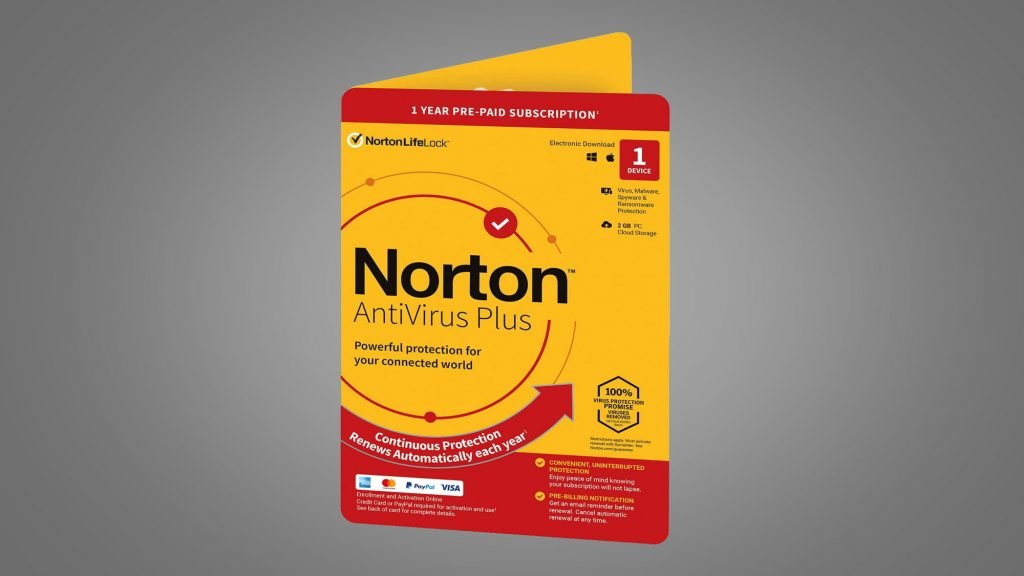
Norton is well known as one of the top antivirus brands available, with a wide range of products and services to suit differing needs and budgets. In this article, we’ll go over the many features of Norton’s entry-level antivirus package, Norton AntiVirus Plus, including what devices it can be used on.

We’ll also look at how Norton AntiVirus Plus compares to the company’s other internet security suites to help you decide which security solution is right for you. 

  • Discover more about AntiVirus Plus by heading to the Norton website
Get the best price on your preferred Norton package
Norton
at


What is Norton AntiVirus Plus?

Norton AntiVirus Plus is the most basic of Norton’s antivirus offerings. The Norton 360 suite comes with more bells and whistles, such as access to a VPN, dark web monitoring and the ability to block unauthorized webcam access on a PC. Norton 360 Deluxe enables users to protect up to five devices, while Norton 360 with LifeLock Select adds increased identity theft protection, such as credit monitoring.

As the most basic Norton security option, Norton AntiVirus Plus is also the most affordable – about half the cost of Norton 360 Deluxe.

Our dedicated guide on Norton plans will help you choose between the three.

What devices can I use Norton AntiVirus Plus on?

Norton Antivirus Plus can be used on a Mac or PC, but it only provides support to one computer. If you’re looking to protect multiple computers in a household, you’ll need to purchase a Norton AntiVirus Plus license for each individually or, much more sensibly, upgrade to Norton 360 Deluxe. 

Norton AntiVirus Plus is not compatible with smartphones or tablets. 

Norton AntiVirus Plus Interface

(Image credit: Symantec)

Norton AntiVirus Plus: what features does it have?

Norton AntiVirus Plus comes with the standard features of an entry-level antivirus package, as well as quite a few extras:

Antivirus scanning

Norton AntiVirus Plus enables you to scan your computer for malware, spyware, ransomware, and viruses. It offers a Quick Scan option or a comprehensive Full System Scan, as well as the ability to scan custom locations to find and remove threats.

Online protection

Norton AntiVirus Plus detects and blocks malicious URLs, keeping you secure when browsing online. While Norton’s Safe Web browser extension is available for free, Norton AntiVirus Plus will also protect you from malicious links system-wide, such as in PDFs.

Smart firewall

Norton AntiVirus Plus’s Smart Firewall feature helps prevent unwanted access to your files by alerting you whenever a suspicious program is attempting to connect to the internet.

Password manager

Re-using the same weak passwords can pose a huge security risk. Norton AntiVirus Plus offers a password manager that enables you to create unique, strong passwords for each of your accounts without having to remember them all.

Cloud backup

Norton AntiVirus Plus comes with 2GB of cloud storage to back up important files in case of a ransomware attack. You can schedule backups to the cloud to run automatically, or you can manually run a backup whenever you please. You can also choose the files and folders that are backed up. 2GB isn’t much storage, but the feature also enables you to back up files to a local drive.

Virus protection promise

If your device does become infected with a virus while running Norton AntiVirus Plus, you may be eligible for a refund.

How good is Norton AntiVirus Plus?

Norton AntiVirus Plus is a solid choice for anyone looking to secure their computer and easily earns its place among our top rated Windows 10 antivirus programmes.

Even though Norton AntiVirus Plus is the least advanced of Norton’s offerings, it comes with plenty of extra features, like the Smart Firewall and the ability to back up files to the cloud or a local drive. And as the cheapest Norton plan, it’s good value.

However, all those features make the Norton AntiVirus Plus interface a bit confusing to navigate. It might take some adjustment before you are able to easily find the features you’re looking for.

In ou

Read More

Be the first to write a comment.

Leave a Reply

Your email address will not be published. Required fields are marked *

Antivirus

Why There’s Simply No Need For Android Antivirus Apps Anymore

Many Android users install an antivirus app on a new device without thinking twice. In 2026, there are good reasons to skip that step entirely…

Many Android users install an antivirus app on a new device without thinking twice. In 2026, there are good reasons to skip that step entirely…
Read More

Continue Reading
Antivirus

‘People use smartphones more but invest less in their security’: New report claims McAfee and Norton remain the most loved antivirus brands as users ditch lesser-known security products for free tools like Microsoft Defender or Apple Xprotect

Copy link Facebook X Whatsapp Reddit Pinterest Flipboard Threads Email Share this article 0 Join the conversation Follow us Add us as a preferred source on Google Newsletter Subscribe to our newsletter Most smartphone users rely on built-in security without additional protection Paid antivirus adoption on mobile devices continues to decline steadily A significant share


  • Most smartphone users rely on built-in security without additional protection
  • Paid antivirus adoption on mobile devices continues to decline steadily
  • A significant share of users remains unprotected or unaware of safeguards

Most Americans now use their smartphones more than their computers, but very few spend money to protect those phones from hackers, new research has claimed.

A Cybernews report surveyed over 1,000 American adults, and found only 18% of mobile phone users pay for third-party antivirus software.

Built-in tools like Microsoft Defender and Apple’s XProtect have become the default choice for most people, while McAfee and Norton lead the paid market for the second year in a row.

Latest Videos From

You may like

  • Best antivirus software Best Antivirus Software 2026
  • People using Windows 11 laptops Can Windows 11’s built-in antivirus keep you safe? Microsoft thinks so
  • Norton 36src Premium Norton 360 Premium will protect your devices from AI scams, malware, and identity theft for less than $30

Smartphone owners are skipping extra security protections

Most consumers believe the security features already built into their phones are sufficient for daily use, and see little reason to spend extra money on something they think they already own for free.

Roughly 14% of mobile users say they have no cybersecurity tools installed at all on their devices. Another 16% cannot even name what protections they currently have in place.

On desktop computers, the situation looks very different, with far fewer unprotected machines and much wider adoption of third-party security tools.

Windows Defender and Apple’s native security features now serve as the primary defense for 53% of computer users and 51% of mobile users.

Most people choose these free options because they trust the operating system vendor to provide adequate baseline protection.

Paid antivirus adoption on computers has actually grown by 2% since last year, reaching 41% of users.

On mobile devices, however, third-party antivirus usage has dropped by roughly 10% over the same period, falling from 28% to just 18%.

What to read next

  • Customer at home looking happy because his network is protected by ESET Home Security We all need digital protection and the ESET Home Security Plan is the bees knees
  • A hand holding a mobile phone scans a QR code on a blurry laptop screen. The phone issues a warning that the QR code could be malicious. Microsoft phishing threat report shows 146% surge in quishing
  • Malware attack virus alert , malicious software infection , cyber security awareness training to protect business Time for an upgrade? Report warns outdated operating systems could be the ‘unnecessary risk’ your business forgot about

Mobile users face growing risks

Ransomware attacks targeting smartphones are still less common than those aimed at computers, but the threat landscape is shifting rapidly.

Users who depend solely on the free security tools that came with their phones may be underestimating what modern cybercriminals can do.

Paid subscriptions have gained ground over free alternatives, yet the majority of mobile owners still avoid spending money on dedicated protection.

Cybercrime exposure does influence some users to change their habits, but personal experience is not the main driver of adoption for most people.

Many users employ layered security approach, combining antivirus with VPNs and password managers.

However, the data shows that a large segment of mobile users remain either unprotected or unsure about what safeguards they have.

Established brands like McAfee and Norton continue to benefit from user trust, while lesser-known products struggle to gain acceptance even when their features are comparable.


Google logo on a black background next to text reading

Follow TechRadar on Google News and add us as a preferred source to get our expert news, reviews, and opinion in your feeds. Make sure to click the Follow button!

Read More

Continue Reading
Antivirus

Surfshark One review: Adequate antivirus protection with caveats

At a glanceExpert’s Rating Pros Clean, extremely simple interface Alternative ID lets you mask your whole identity, not just an email address VPN service is solid Cons Full scans hit PC performance hard Very few settings to adjust Not as many features as similarly priced rivals Our Verdict If VPN coverage is your first priority…

At a glanceExpert’s Rating

Pros

Clean, extremely simple interface

Alternative ID lets you mask your whole identity, not just an email address

VPN service is solid

Cons

Full scans hit PC performance hard

Very few settings to adjust

Not as many features as similarly priced rivals

Our Verdict
If VPN coverage is your first priority…
Read More

Continue Reading
Antivirus

NITDA raises alarm on DeepLoad AI malware attacks, proffers solutions

“Never paste commands from a website into your computer; legitimate software never asks for this. Do not open files named ‘Chrome Setup’ or ‘Firefox Installer’ from USB drives; scan all USB devices with antivirus software before use,” the agency said, warning corporate companies of possible cyber attacks…

“Never paste commands from a website into your computer; legitimate software never asks for this. Do not open files named ‘Chrome Setup’ or ‘Firefox Installer’ from USB drives; scan all USB devices with antivirus software before use,” the agency said, warning corporate companies of possible cyber attacks…
Read More

Continue Reading