Antivirus, Apple, Enterprise, Internet Security, iPhone, Mobile, OS X

Do I need an antivirus for iPhone?

Most people are made to believe that all computing devices need to have antivirus software, regardless of the operating system…

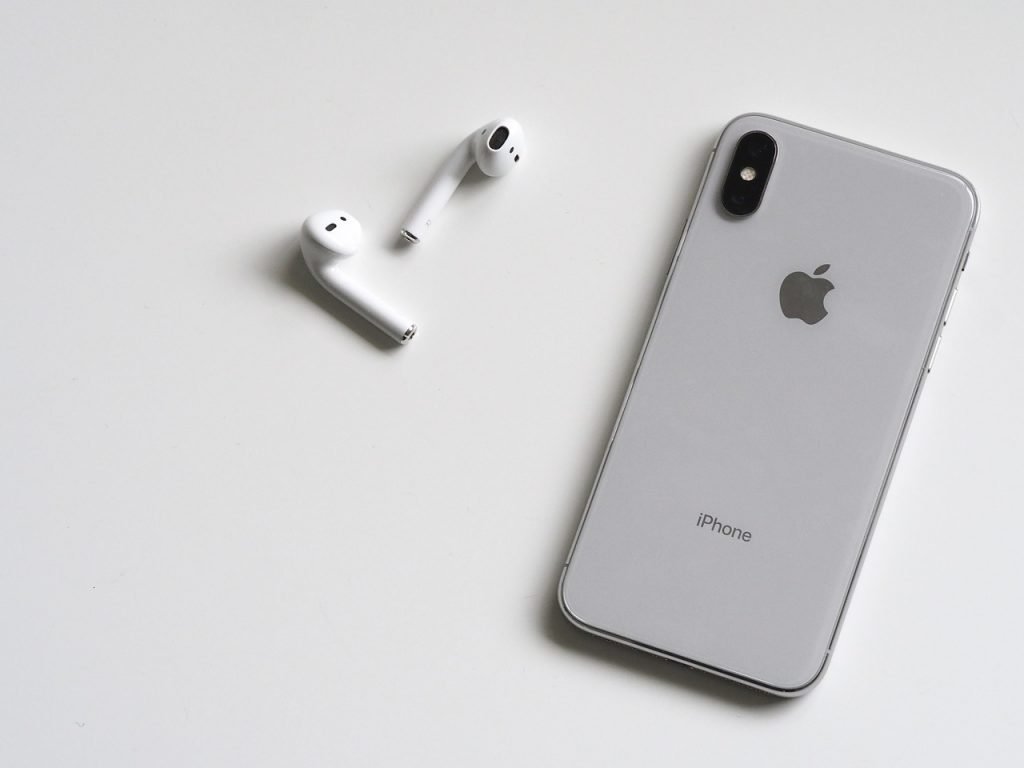
Most people are made to believe that all computing devices need to have antivirus software, regardless of the operating system they are running on. Most of us know what the security risks associated with these types of devices are (you can click here to refresh your memory should you need to), and how we should go about minimizing them. Apple’s mobile devices are powered by iOS, one of the most advanced and secure systems you may come across. Even though it’s well known your computing device can be susceptible to a virus attack, and we will more often than not find ourselves checking out places like iGeek Tech Repair in Sacramento to fix the issue, many security firms now offer antivirus for iPhone too to safeguard your devices. But the question is, do we really need one?

How is iOS different than other mobile platforms like Android?

Unlike Apple, Google has provided a lot more flexibility to its users when it comes to installing applications on their devices. Though by default, an Android device restricts its owner from installing files from unknown sources, this can be changed almost effortlessly through the device’s settings. While this has allowed users and developers have a lot more versatility when it comes to installing and building software, it left a void in the system for cyber criminals to exploit.

The case is not the same with iOS, however. Apple doesn’t provide its iPhone, iPod or iPad users with this feature, limiting them to mostly the App Store. Certainly, hackers and exploiters have got their hands on having root access to iOS, a privilege of removing restrictions imposed by Apple, this, however, is something users wouldn’t be encouraged to proceed with as it voids Apple’s warranty for the device. In addition, Apple keeps updating its iOS from time to time keeping in mind to fix the exploit.
 

Apple doesn’t really allow any Antivirus to function like it normally would:

According to Rich Mogull, analyst and CEO of Securosis, a security firm – security software are designed for latching on to hooks to have deep access to the operating system. This allows them to monitor if a threat persists. However, this creates a potential exposure for the software itself to become a target. All that is required by cybercriminals is to find a loophole in a sloppily designed antivirus. Hence, Apple kept in mind to design iOS such, that no software would have the possibility of grappling on to these hooks.

On the other hand though, founder and CEO of security firm Kaspersky Lab, Eugene Kaspersky has warned Apple that sooner or later iOS would become a target of malicious attacks. And when that happens, it could seriously bring down the reputation of the company, giving an advantage to other mobile platforms.

For the time being though, iOS’s security model of having a strong wall between its apps and operating system seems to work just fine.
 

Then, what about the antivirus for iPhone that are available?

Apple itself promises its users that their devices are well secured and officially bans all antivirus apps, revealing them to be spam aimed at generating money from uninformed owners. At the same time, an antivirus app search in the store would reveal that there are enough of them there. These, however, are designed to provide privacy and security from thefts more than to defend potential system threats as claimed by most. The last thing home users would want to happen is have their iPhones or iPads stolen or their data mishandled.

Apps like Find My iPhone, Avira Mobile Security, McAfee Security, Norton Mobile Security take care exactly of that. They allow owners to wipe their device if it falls into the wrong hands. Bitdefender Mobile Security works similarly, also alerting users if their accounts ever get breached. Citrix Secure Web claims to protect users from malicious websites and phishing attacks. While that sounds impressive, the iOS’s default explorer, Safari is well capable of handling that itself. Notice that these software firms refrain from using the term ‘antivirus’ in their app’s name like they do in their desktop counterparts? You guessed it right – that’s because they were never designed to protect phones and tablets from viruses, but rather, from data thefts!
 

How do I protect my device if it has been jailbroken?

While ‘jailbreaking’ has exposed that the iOS is not entirely fool-proof, the system software is still remarkably secure and stable. Unlike on the Android, malware hasn’t yet been able to find their way to the operating system through software from third-party sources. However, since Apple doesn’t take any responsibility for a jailbroken device, taking a few precautions might be a good idea.

Say No to Piracy:
It is always better to stay away from pirated software. As has been the case with Android, developers of third-party apps get paid to generate traffic through their software. Though, third-party software is unlikely to affect the performance of an iOS device as much as an Android device, taking a precaution is still always better than having to cure.

Secure your jailbroken iDevice by changing the root password:
As of today’s date, there have been two exploits discovered that are aimed at a jailbroken device and both of them try to access its administrator account, popularly known as ‘root’. However, securing it by changing the root password is relatively easy. A Google Search would give you tons of results on how to do that. Since by default iPhone restricts enabling root access, these exploits are only possible on a rooted/jailbroken device.
 

Keep your device updated:

You may have heard news about the flaw in iPhone’s Wi-Fi chip or how an iCloud is capable of holding a device as hostage. Apple might have security exploits from time to time but it keeps a track of everything so closely that the latest iOS update includes all the fixes. Of course, there isn’t a need of immediately updating the device as some updates initially might be less stable than one would anticipate.
 

Conclusion

In summary antivirus for iPhone is not needed or even realistically available. The multiple pieces of security software available for iPhone are still useful, however. Having the ability to track your device or wipe it remotely in the event of loss or theft is essential for the majority of iPhone users. The biggest security threat to iPhone users isn’t virus or malware, it is from general internet security threats as shown in our article – What internet security threats to look out for in 2018?

Be the first to write a comment.

Leave a Reply

Your email address will not be published. Required fields are marked *

Apple

Desperate Housewives Alum Marcia Cross Shares Rare Selfie

Marcia Cross is giving desperate fans a rare apple. While the Desperate Housewives alum—who starred as Bree Van de Kamp on the hit ABC series—often keeps her social media focused on her career and activism, she shared a close look into her traveling style in a rare selfie. In a May 28 Instagram post, Marcia

Marcia Cross is giving desperate fans a rare apple. While the Desperate Housewives alum—who starred as Bree Van de Kamp on the hit ABC series—often keeps her social media focused on her career and activism, she shared a close look into her traveling style in a rare selfie. In a May 28 Instagram post, Marcia
Read More

Continue Reading
Antivirus

I Turned Off All Antivirus Protection for a Week. Here’s What I Learned

Disabling my antivirus for a week taught me that the most important security tool you have isn’t software…

Disabling my antivirus for a week taught me that the most important security tool you have isn’t software…
Read More

Continue Reading
Antivirus

Malware Has Gotten Smarter. Here’s How Your Antivirus Has, Too

Antivirus software used to hunt for known malware, but now it’s predicting suspicious behavior before an attack fully lands…

Antivirus software used to hunt for known malware, but now it’s predicting suspicious behavior before an attack fully lands…
Read More

Continue Reading
iPhone

Baseus PicoGo AM31 Qi2 power bank review: I finally found my perfect iPhone companion

Baseus PicoGo AM31 Qi2 Power Bank MSRP $50.00 Score Details “A no-brainer, low-fuss, everyday carry that your iPhone will love.” Pros Light, tiny, and well-built Strong magnetic attachment Built-in kickstand is a sweet bonus Qi2 charging doesn’t disappoint Cons Slight stability woes for kickstand Warms up during wireless charging It’s not ready for a full

Baseus PicoGo AM31 Qi2 Power Bank
MSRP $50.00

Score Details

DT Editors' Choice

“A no-brainer, low-fuss, everyday carry that your iPhone will love.”

Pros
  • Light, tiny, and well-built
  • Strong magnetic attachment
  • Built-in kickstand is a sweet bonus
  • Qi2 charging doesn’t disappoint
Cons
  • Slight stability woes for kickstand
  • Warms up during wireless charging
  • It’s not ready for a full tank top-up

Amazon

Instant Insight

The Baseus PicoGo AM31 Qi2 power bank is a lovely everyday carry (EDC) if you want something pocketable for the last-gasp power shot to your phone. It has a terrific build with strong magnets and offers the convenience of a built-in kickstand, as well.

Recommended Videos

The magnetic position lock is great, and support for Qi2 standard means your iPhone can tap into the full 15W wireless power share potential. In wired mode, you can draw 20W out of this tiny power bank. It does run warm, but not to a worrying extent.

Baseus PicoGo AM31 specs: A quick look at the numbers

Model Name PPKPC-0520S
Battery Capacity 5000 mAh
Connector Type USB Type-C
Power Output 20W Wired / 15W Wireless (Qi2 Certified)
Voltage 20 Volts
Weight 4.8 oz (Ultra-Light)
Build Materials Aluminum Alloy Shell & Liquid Silicone
Safety Features NTC Temperature Control, Heat Dissipation, 9-Layer Protection
Compatibility iPhone 12–16 Series, Samsung, Android, iPad
Warranty & Support 24-Month Warranty with 24/7 Professional Support

I carry an iPhone 17 Pro with me at all times. Not because it’s the only phone that has my heart. Apple just has me locked in its ecosystem, and I test more experimental apps (read: TestFlight program) and beta OS builds than I can count on my fingers. It’s a great phone, otherwise, but my wayward ways are a recipe for unnatural battery drain. 

But that’s not the end of my ordeal. I love to work outdoors. Cafes. Parks. Essentially, anywhere away from my workstation. Lugging a charging kit is something I despise. My jeans pockets aren’t fond of a massive power bank either. All that puts my iPhone’s full-day battery survival in serious jeopardy. Maybe, something small, convenient, and versatile can work? 

There certainly are products that meet the above criteria, and that hunt landed me at Baseus’ doorsteps. And specifically, the Baseus PicoGo AM31 Mini Magnetic Power Bank with Stand 20W 5000mAh. Ignore the utterly loquacious name. Let’s call it the Baseus PicoGo AM31, for it’s a product that is fittingly tiny, and gets the job done — with some heat.

Baseus PicoGo AM31 build: You’ll love how tiny it is

Quick take: The charmingly small build and barely-there heft is paired with a solid build and some welcome extras.

One of the biggest — if not the defining — reasons to pick up the Baseus PicoGo AM31 wireless power bank is the size and bulk. It tips the scales at just over 140 grams, and its compact size ensures that you can keep it in just about any pocket on your attire or carry bag. And as you can see in the image below, the tiny power bank can even fit in the small pocket of my jeans. 

If you are someone who doesn’t like to carry a bag for gadgets and wires in a bag, and trust your laptop (and phone) to last the whole outdoor work session away from a power port, the Baseus PicoGo AM31 should serve as a perfect companion device. 

You can shake your iPhone without the case flying off. 

Another crucial perk is the built-in magnet. It’s pretty strong, and during my usage, the power bank never slid off my iPhone 17 Pro or the Google Pixel 10 Pro — both of which have magnetic rings underneath the real glass shell. The situation was no different with a case applied. 

I tested Apple’s TechWoven Case for the iPhone 17 Pro and the Spigen Ultra Hybrid Neo One (Mag Fit) for the Galaxy S26 Ultra. Once again, the magnetic lock is pretty strong, and at no point will the Baseus power bank slip off the phone’s cover shell. You can hold the power bank in a vertically oriented position and let the phone hang off it.

But there are a couple of problems hiding behind the conveniences. First, not all phones fit well with the power bank. Any device with a large (or tall) camera outlay close to the charging coil will create a problem. The Pixel 10 Pro and iPhone 17 Pro slot in just fine. The Galaxy S26 Ultra? Not so much, as you can see in the image below. 

Second, we have the USB-C port’s placement. The kickstand at the back is pretty useful. Whether you’re scrolling a social media feed or watching horizontal videos, it can comfortably handle any position for your phone. However, in portrait propped mode, you don’t want to tap too hard on the screen, or the phone will topple over.

It’s the placement of the USB-C port that is awkward. When the kickstand is in use, the USB-C port is at the bottom, which means you can’t charge it. Only when the kickstand is propping up the phone vertically is the USB-C port accessible for charging, or souping up another device with a cable.

 Those two are not fundamental flaws, but worth considering. On the contrary, if your prerequisite is simply a small power bank with a strong magnetic connection and a built-in kickstand, the Baseus PicoGo AM31 Qi2 powerbank is arguably one of the best bets out there. 

Build and design score: 8/10

Basues PicoGo AM31 Qi2 powerbank charging performance 

This power bank comes equipped with a 5,000mAh battery. Ideally, it should be enough for a full top-up on nearly every mainstream phone sold in the US. It can cover the iPhone 17 Pro (4,252 mAh), the Pixel 10 Pro (4,870 mAh), and the Galaxy S26 Ultra (5,000 mAh), while falling just short of the iPhone 17 Pro Max and the Pixel 10 Pro XL’s range. 

In reality, there’s a bit of a power bleed happening, though nothing too much to worry about. You can blame the losses on voltage and thermal woes, something you will even face with electric cars and everything else in between that has an electrochemical foundation. 

I mostly used it with my iPhone 17 Pro, and it took the battery from 7% to 78% in just over two hours. On the Pixel 10 Pro, the Baseus power bank could only manage 53% top up before it died. The charging times could also have been better, but that’s what you get here.  

Broadly, it can handle a current-gen iPhone with an average Qi charging rate of 10-13% in half an hour.

I’d also like to highlight that the power bank runs hot when it’s juicing up your phone. And depending on the ambient temperatures, you may want to keep it outside your leather-lined bag or jacket pockets. Baseus says there’s a nine-layer heat protection system in place, so you shouldn’t worry too much about fire hazards. 

When I first began using it, the ambient temperatures usually hovered between 8-14 degrees Celcius (46-57 degrees Fahrenheit). I noticed that the power bank didn’t get too hot when lying outside, but I could definitely feel the warmth building up. At no point did it get worryingly hot that I had to take it off the phone.  

As I shifted back to my hometown, where th

Read More

Continue Reading