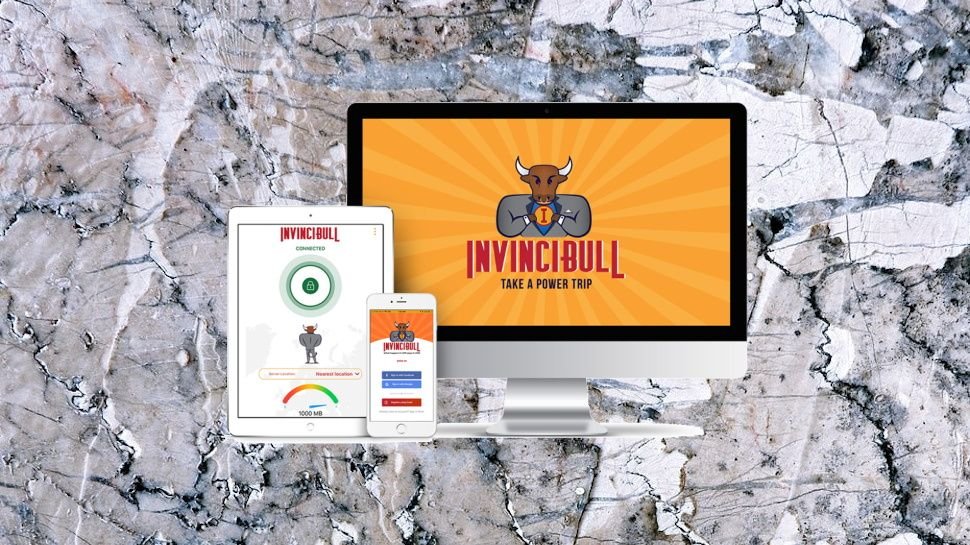
InvinciBull VPN

(Finjan doesn’t have the highest of profiles, but it’s been around since 1996, when it made its name developing some of the first heuristic antivirus technologies. Unlike many VPN providers, it’s a real company, with a long history, immediately giving it moe credibility.)
TunnelBear-like humor and you’ll find InvinciBull is powered by Avira’s PhantomVPN. You get access to 58 locations across 47 countries (that’s one in most countries, 12 in the US), with P2P support, and simple apps for Windows, Mac, iOS and Android.
As with PhantomVPN, there are no artificial limits on the number of connections or devices it can handle at one time. You can set it up and use it wherever you like. (That’s not quite as impressive as it could be, because there’s no support for manually setting up the service on smart TVs, games consoles or other platforms. Still, it’s better than most of the competition.)
- Want to try InvinciBull? Check out the website here
free plan, but it doesn’t allow you to choose your location (you’re automatically connected to the nearest server), and InvinciBull limits you to 1GB data a month. That’s better than it sounds, as you get a free GB per device, enough to sample the service and protect a few quick online sessions, but it’s still left trailing way behind Windscribe’s generous free 10GB.
Prices are average at $8.99 billed monthly, $4.99 on the annual plan. That’s a little cheaper than PhantomVPN ($10 monthly, $6.50 over a year), but much more than some. Private Internet Access charges $2.85 a month for the first term of its annual plan, $3.33 afterwards, and at $1.99 a month, Surfshark gives you two years of protection for less than InvinciBull charges for one ($47.66 vs $59.99.)
Mobile plans enable protecting a single device for a lower price, at $1.99 billed monthly, $1.25 on the annual plan.
Mobile users also get a custom secure browser. Features include logon via a custom passcode or biometric authentication. Banners tell you whether pages are safe, suspect or dangerous. There’s detailed information on trackers, and the browser can block both trackers and ads. You can do much the same with other tools and browser extensions, but these are benefits worth having, and the browser is a more interesting extra than you’ll get with most VPN plans.
Don’t expect much in the way of support, though. The website replaces the usual lengthy tutorials with a brief FAQ page, and there’s no live chat: just a web contact form. InvinciBull’s target novice users might not be the type to wade through lengthy troubleshooting pages, anyway, but we would still like to see a little more online advice.

Privacy and logging
While most VPNs love to boast about their no-logging credentials, InvinciBull pays surprisingly little attention to the issue, and it takes some work to find any details at all.
The front page of the website doesn’t address logging, for instance. The FAQ mentions the topic, but only with this very brief question and response:
‘Do you log my data?’: ‘We log email addresses and usernames, that’s it.’ We’ve not edited it, that’s really all there is.
We clicked the Privacy Statement link at the bottom of the page, expecting it to lead to an official privacy policy covering the service. Instead it took us to a page talking about the website, which said the InvinciBull app was covered by a separate statement. (The document didn’t link to this, of course.)
We headed off to the App Store, tried following the privacy policy link, but that led us to the same Privacy Statement; lots about the website, nothing about the app.
So, we tried Google Play and finally reached an App Privacy Statement. It really shouldn’t be that difficult to find such an important document.
Our efforts turned out to be worthwhile, though, because although InvinciBull states ‘we do not track the sites you visit or your activities on sites using the App’, there’s plenty of lesser logging.
The service tracks the date of every session, for instance; the amount of data you use, and the name and type of the device used.
If you use the app’s Safe Scan feature, it sends every URL you visit back to the company to determine whether it’s been identified as malicious. The company says that information is retained, but not associated with your account, so no-one will be able to see the sites you’ve accessed.
The company details more data collection here:
“FMI’s service providers and data processors may collect information regarding your Devices running the App that may include, as applicable: IP address, language settings, date/time stamp, mobile device model and type, operating system and Bluetooth versions, network provider and data usage.”
InvinciBull says none of this information is associated with any personal details, so this seems to have less privacy impact than the session logging you’ll sometimes see with other VPNs (session dates and times, incoming and outgoing IP addresses.) Still, there’s more logging than we expected, and as with many VPNs, you’re left to trust that InvinciBull is living up to its privacy promises. We have no reason to doubt the company, but we would be happier if it followed providers like TunnelBear and VyprVPN, and had a public privacy and security audit of its systems.
Apps
InvinciBull’s Windows client has a basic but familiar interface. Its simple main window displays your preferred location and a ‘Secure My Connection’ button to get you connected. Tapping the country name displays a list of other locations, with latency figures to help you judge their speed and distance. And that’s all you need to know, at least for basic use. Even total VPN newbies can be up and running in under 60 seconds.
Experienced types might head off to the Settings panel, where they’ll find a handful of useful options. There are no low-level technical tweaks – you can’t change protocol (it’s OpenVPN-only), tweak encryption or DNS – but the client does have a couple of major benefits. You can opt to automatically connect to InvinciBull whenever you access wifi networks, and a kill switch aims to automatically block internet traffic if the VPN connection drops.
The client took a longer-than-usual 10-15 seconds to connect to even our closest location (the best apps manage 5-6 seconds.) It doesn’t use notifications to tell you when it connects and disconnects, or, we found, if the connection drops. If you lose the connection, InvinciBull’s system tray icon changes color, but that’s the only sign there’s a problem. If you can’t see that, or don’t notice it, the VPN can fail but you’ll continue to believe you’re safe, even though your traffic is now exposed.
Enabling the kill switch (only available with the paid plan) does a lot to solve the problem. We found it instantly detected a dropped connection, then blocked our internet access, and displayed a warning with options to reconnect the VPN, or disable the kill switch and restore internet access.
The only minor issue is it doesn’t offer any protection if you switch servers while connected; the client closes your current connection, and you’re unprotected until it establishes the new one. But that’s unlikely to be a big deal as you’re almost certainly not going to change servers while you’re in the middle of a task, and even if you do, you’ll only be vulnerable for around 10-15 seconds.
InvinciBull’s Android app is easy to use, with a very similar interface to its desktop cousin. It’s auto-protect feature is a little smarter, asking you whether to trust new wifi networks or not, then automatically connecting to the service later. There’s no built-in kill switch, but you can set that up manually in Android’s settings.
You also get InvinciBull’s own secure browser. This works much like any other, but has built-in privacy and security features, including ratings for website safety and blocking of ads and trackers.
The Windows and Android apps aren’t exactly feature-packed, and experienced users might wish they had more control. InvinciBull does a reasonable job for its target audience of VPN newcomers, though, covering the basics while being easy to learn and use.
Performance
InvinciBull boasts that it allows you to ‘watch sports and more from any country, and ‘explore streaming services from around the world.’
Our tests found the reality is very different. We were able to browse a few sites, including US YouTube, but better defended services including US Netflix, BBC iPlayer, Amazon Prime Video and Disney+ remained out of bounds.
Our performance tests began with a quick look at InvinciBull’s free plan. Some providers channel their free customers off to a handful of underpowered servers
Be the first to write a comment.