Apple

The 6 best photo-editing apps you need to download on your iPhone

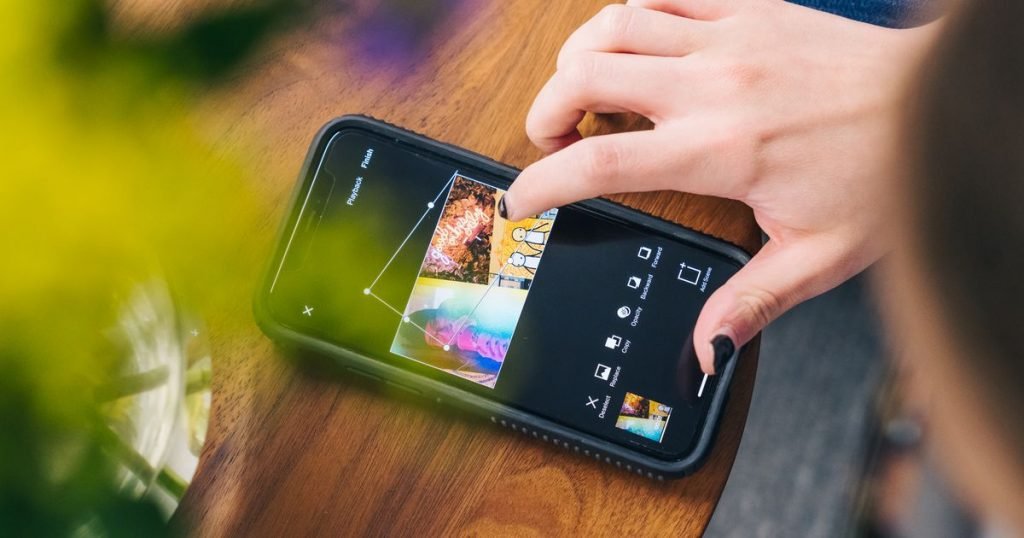
The iPhone has improved a lot over the years, especially when it comes to the camera.  Just look at the iPhone 11 Pro. That bad boy comes complete with a triple rear camera setup (each of which are 12-megapixels) and a telephoto lens. Your pictures have never looked better.  But even though Apple has upped…

The iPhone has improved a lot over the years, especially when it comes to the camera. 

Just look at the iPhone 11 Pro. That bad boy comes complete with a triple rear camera setup (each of which are 12-megapixels) and a telephoto lens. Your pictures have never looked better. 

But even though Apple has upped the ante in terms of hardware, it’s highly unlikely you’ll upload a picture to social media without slightly altering at least some part of it. 

Luckily, there are some great alternatives to settling for those basic Instagram filters or sticking to the built-in camera tools. Because every single one of us needs all the “likes” we can get. And because #nofilter is no longer a thing.

Here are six of the best iPhone photo-editing apps to download right now. 

Bye, Instagram filters. Hello, beautifully edited photos! 

1. VSCO

Wonder if she's a VSCO Girl.

Wonder if she’s a VSCO Girl.

Image: vsco

Ahhhh, a nice community that doesn't judge you for not getting enough

Ahhhh, a nice community that doesn’t judge you for not getting enough “likes.”

Image: vsco

I’m not sure there will ever be a time when my mind doesn’t associate the word “VSCO” with the word “girls.” But behind the viral trend is a photo-editing app that’s a bit unique from the rest.

If you opt for the free version, you’ll have access to basic tools to edit RAW images — like contrast, saturation, texture, crop, and skew. There are also 10 different VSCO presets (also known as filters) to choose from.

If you’re willing to pay $20 per year, you’ll unlock the more advanced photo editor tools, like split tone and HSL. You can also use the app edit videos, create short GIFs, and use the Montage feature to piece together content to create video collages. 

Oh, and you’ll also have tons more presets to choose from, you photography pro. Like, over 200. So many options for your pictures!! 

When you’re done with your photo masterpiece, you can either export it to upload to different social media platforms or post it to the VSCO community. The best part: There are no “likes” or comments, so you won’t have to constantly refresh the post to see how it’s doing. 

Don’t worry, we’re all guilty of it.

2. Snapseed 

You've got plenty of photo filters to choose from.

You’ve got plenty of photo filters to choose from.

Image: brenda stolyar / mashable

Look at allllll the tools to edit your photos.

Look at allllll the tools to edit your photos.

Image: brenda stolyar / mashable

With Snapseed, in addition to different filters, there are tons of photo editing and adjustment tools, too.

Coming from someone who mostly edits only the brightness and saturation on her photos, I’ve never even heard of some of what the app offers, but that doesn’t mean these tools are useless. They’re just more on the level of professional photographer effects.

With over 30 edit tools and filters to choose from, you can use things like lens blur (for Bokeh), tune the exposure, boost shadows, adjust the white balance, and more.

It sounds intimidating, but the Snapseed app is super straightforward and easy to navigate for all your photography needs. And, for you newbies out there, there are plenty of photo editor tips and tutorials to read through to help you get the most out of the app.

3. Adobe Photoshop Express

Photoshop your pictures with a cool Bokeh effect.

Photoshop your pictures with a cool Bokeh effect.

Image: adobe Photoshop express

Remove red eye from your photos, it's not welcome here.

Remove red eye from your photos, it’s not welcome here.

Image: adobe photoshop express

Photoshop Express is more like a “lite” version of the original photo-editing software, built specifically for your phone. It’ll set you back $9.99 per month.

You can use the Photoshop app to remove red-eye or noise, adjust contrast, or crop and straighten images. To enhance the photos, you can also adjust color temperature and vibrancy, or add filters. And then there’s the more fun stuff, like adding borders, texts, stickers, and texts to your images. You can literally create your own memes while you’re at it. 

If you have an abundance of snapshots, there’s a handy-dandy photo collage feature, too. 

4. Afterlight

How to make your photos look vintage? We got you.

How to make your photos look vintage? We got you.

Image: afterlight

Touch tools let you edit specific parts of each photo.

Touch tools let you edit specific parts of each photo.

Image: afterlight

While Afterlight offers tools that are similar to those of other photo-edit

Read More

Be the first to write a comment.

Leave a Reply

Your email address will not be published. Required fields are marked *

Apple

New Apple CEO’s LinkedIn leaves everyone saying the same thing

Many social media users associate LinkedIn with a certain type of cringey business-speak. Ternus’s profile is a little different.

Many social media users associate LinkedIn with a certain type of cringey business-speak. Ternus’s profile is a little different.
Read More

Continue Reading
Apple

Did Jacob Misiorowski really hit an apple off Quinn Priester’s head?

The Brewers’ social media team has been killing it.

The Brewers’ social media team has been killing it.
Read More

Continue Reading
Apple

Apple Music pokes fun at latest Spotify price increase

Last month, Spotify announced a new round of price increases for subscribers in the United States and other countries. As the price increases start to go into effect starting with February renewals, Apple Music is poking fun at Spotify’s drama on social media. Apple Music is also offering a free three-month trial right now…

Last month, Spotify announced a new round of price increases for subscribers in the United States and other countries. As the price increases start to go into effect starting with February renewals, Apple Music is poking fun at Spotify’s drama on social media.

Apple Music is also offering a free three-month trial right now…
Read More

Continue Reading
Apple

Trust Wallet integrates Apple Pay to streamline cryptocurrency purchases

Individuals can now buy crypto on Trust Wallet using Apple Pay. The feature is currently available in more than 45 countries. Such updates reduce entry barriers into the crypto and blockchain world. Trust Wallet, one of the reputable digital asset wallets, has made another step toward promoting cryptocurrency adoption. It has confirmed adding Apple Pay


Trust Wallet integrates Apple Pay to streamline cryptocurrency purchases

  • Individuals can now buy crypto on Trust Wallet using Apple Pay.
  • The feature is currently available in more than 45 countries.
  • Such updates reduce entry barriers into the crypto and blockchain world.

Trust Wallet, one of the reputable digital asset wallets, has made another step toward promoting cryptocurrency adoption.

It has confirmed adding Apple Pay today, November 27, on X, allowing individuals in more than 45 countries to purchase their favourite virtual tokens within seconds.

Notably, the new feature promises an enhanced experience for new and existing users. The announcement read:

Trust Wallet has integrated Apple Pay. Buy your first crypto in seconds. Available in 45+ countries.

Indeed, purchasing digital tokens has been challenging for newbies, with lengthy verification procedures, numerous account setups, and limited payment methods often discouraging them.

Trust Wallet wants to address this challenge. With the integration of Apple Pay, it aims to make digital assets more accessible than ever, as individuals can now buy their “first crypto in seconds.”

How to get started

Depositing funds in a Trust Wallet account using Apple Pay is straightforward.

Users only need to open the app, visit the ‘Fund’ tab, and choose Apple Pay as the desired payment option.

Everything takes a few taps, mirroring the smooth experience when using Apply Pay for day-to-day purchases.

Most importantly, Trust Wallet benefits from Apple Pay’s credibility and security features, which include Touch ID, encrypted payments, and Face ID.

That promises streamlined crypto purchases that don’t compromise user safety.

Trust Wallet expands footprint globally

The team confirmed that users in more than 45 countries can access the Apple Pay transaction option.

Trust Wallet is lowering barriers to joining crypto, which will likely make it an entry point for millions who have struggled to access the digital assets market.

Individuals in jurisdictions with limited options to participate in the cryptocurrency industry now have a swift and secure option.

TWT price outlook

Trust Wallet’s native token remained somewhat muted in the past 24 hours.

The alt is trading at $1.08 after a slight 0.09% uptick on the daily price chart.

TWT has consolidated over the past week after losing nearly 15% in the last 30 days, influenced by broader selling pressure.

Meanwhile, TWT has underperformed the broader market today.

CoinMarketCap data shows the value of all cryptocurrencies increased by more than 3% the last 24 hours to $3.12 trillion.

Bitcoin is trading at $91,480, pumping the altcoin space as risk-on sentiments surfaced.

For now, Bitcoin should reclaim the key zone between $93,000 and $94,000 to shift its near-term trajectory to bullish.

That can support steady upswings towards the $100,000 psychological market.

However, a sudden selling wave will see it retracing to the ‘new’ liquidity region at $85,000 – $86,000.

Read More

Continue Reading