Android, Antivirus, Enterprise, Internet Security, Mobile, Social Media

Top 10 Android Security Apps Apps to Track Your Lost /Stolen Smart Phone

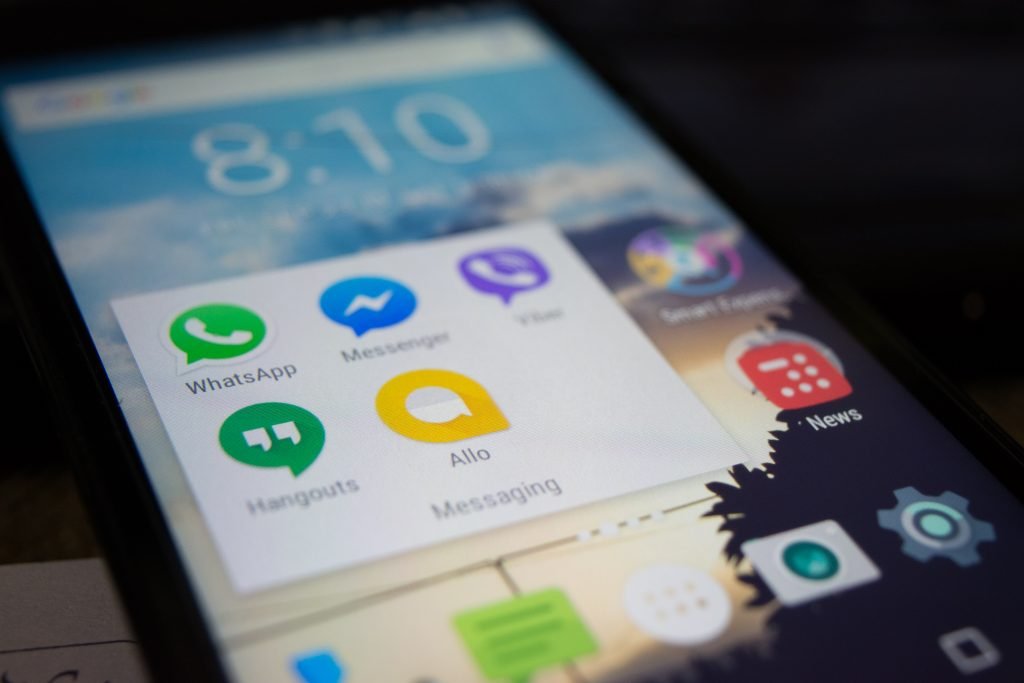
One of the biggest inconveniences in the modern age is losing your smart phone.

One of the biggest inconveniences in the modern age is losing your smart phone. Unlike in the past where we simply relied on personal computers to store heavy/crucial data, today’s smart phones are packed full of vital information. This makes android security apps vital for everyday use.

With the advantage of being portable and readily accessible, one annoying setback comes in—vulnerability to theft. Smart phone devices are capable of storing a wide array of data such as personal information, photos, contact information and even financial data. Any loss/unauthorized access to this data can be a major problem for users.

With all that in mind, imagine losing your smart phone to unknown thieves and having no android security apps. Third-party app developers have come up with many solutions to minimise the impact of losing your device. The majority of these apps also provide a way to track down and potentially recover your device.

Note that all these android security apps have varying features and capabilities. Some have the capability to trigger phone calls, take snapshots, and activate GPS while others are capable of wiping your phone’s data entirely to avoid a further security breach.

1. 360 Security

360 security has three killer features, an effective speed booster & smart cleaner, a smart battery saver and a virus remover. Its the most feature full app on our list with the capacity to ring your phone, erase all data, lock your phone as well as offer malware protection..

Boasting over 200 million users and an average rating of 4.6/5 its well used and trusted.

Google Play Store Stats
Reviews: 16,617,723
Average Rating: 4.6/5
Price: Free to install, in-app purchases for upgrades.

2. Where’s my Droid

Developed by Alienman Tech, Where’s My Droid is a reliable app that aids in locating your lost device within a short time. Claiming to be the first find your phone app for Android it has a raft of features including an intelligent auto-theft detection feature.

Like many of the apps on this list it allows you to send a code to your lost Android device making it ring (even in silent mode). You can also opt to send text messages to your lost device in a bid to get GPS coordinates.

If there’s an internet connection, you can remotely connect your lost phone using the commander option to take photos of the perpetrators. You can also reset passwords or simply wipe away your data for security reasons.

Google Play Store Stats
Reviews: 107,023
Average Rating: 4.5/5
Price: Free to install, in-app purchases for upgrades.

3. Bitdefender Mobile Security & Antivirus

Bitdefender is a full suite of security products that offer protection against malware, spyware, trojans among other exploits. Have you lost your device or just misplaced it? There’s nothing to worry about. Simply send SMS commands and wait for the app to locate your phone. Designed with an extra layer of intelligent protection features, this app secures your most vital data from any form of misuse or prying eyes.

Rated as the Best Android Security Product in 2015 and 2016 by AV-TEST, the independent IT-Security Institute.

Google Play Store Stats
Reviews: 108,909
Average Rating: 4.5/5
Price: 14 day free trial

4. Lookout Security and Antivirus

The Lookout Security and Antivirus app not only protects your device from theft but also from possible malware and virus. With the help of the www.lookout.com, all you need to do is search for your lost device using the Google map. When you locate your lost phone, one has the option of remote ringing it loud and scanning for contacts. This app has an intelligent backup restore function and is very difficult to locate in case a “clever full” thief thinks of reinstalling it from the system.

Google Play Store Stats
Reviews: 944,354
Average Rating: 4.4/5
Price: Free to install, in-app purchases for upgrades.

5. Find My Device

Google’s own Find my Device App is the new and improved Android Device Manager. Listed among the most well reviewed Android apps its an obvious place to start for securing your device. This security app works with your Google account to locate your device as well as secure your personal data from any misuse.

This app is capable of resetting your device’s Lock screen, can erase all data or simply show a message on screen. If you’ve lost your phone close by then it can play a sound to help you locate it.

Google Play Store Stats
Reviews: 472,410
Average Rating: 4.3/5
Price: Free

6. Cerberus Anti-Theft

Next, we have the Cerberus Anti Theft app. This app offers a one-week free trial after which allows you to purchase the pro version for an affordable price. It allows you to remote control your device using the website www.cerberusapp.com.  The app gives you a chance to monitor your lost device using text messages while still monitoring SIM cards that are being inserted into your device.

If you can’t locate your device, this app will keep potential perpetrators on their toes by setting loud alarms, resetting passwords and erasing your phone’s memory both internal and SD card.

Google Play Store Stats
Reviews: 102,446
Average Rating: 4.3/5
Price: 7 day free trial

7. Lost Droid

Lost Droid allows you to remotely control your phone through its website and has advanced controls for locking/unlock, wiping an SD card or phone all through SMS. Developed by Theis Borg, the app is free to install and has various upgrade options.

Google Play Store Stats
Reviews: 69,872
Average Rating: 4.2/5
Price: Free to install, in-app purchases for upgrades.

8. Prey Anti Theft

My personal favourite, Prey Anti Theft is another app that protects your Android phone from possible theft. Locating your device is very simple and only requires you to send a text message with the code “GO PREY”. The app will detect your phone as missing and will send you detailed notifications of your phone’s current location.

In addition to that, this app will take snapshots of its current location using both front and rear cameras. You can opt to activate alarms, secure your data online or simply lock your device. Removing prey anti theft from your device requires a  secret password to be entered.

Google Play Store Stats
Reviews: 58,772
Average Rating: 4.2/5
Price: Free or 3 devices

9. Seek Droid

The Seek Droid app and the help of it’s website—www.seekdroid.com allows users to get location coordinates of the lost phone easily. If your Android device has no active internet connection, you can opt to use SMS activation. This allows you to send ring alerts, lock your phone, and wipe all data remotely to avoid any data breach.

Google Play Store Stats
Reviews: 5,103
Average Rating: 3.9/5
Price: Free

10. Find Stolen / Lost Mobile

Find Lost Phone is multi-purpose Anti-theft, phone tracker, and navigational application. With one single application Find Lost Phone, you can find your stolen or misplaced mobile phone, track your friends and family members and navigate without the internet. It is a user-friendly application that is going to keep your phone saved and protected.

Google Play Store Stats
Reviews: 1,921
Average Rating: 3.9/5
Price: Free

To Conclude on the top 10 android security apps…

With this list of top 10 android security apps at your disposal, you have no excuse not to prepare yourself for the worst. Use our list to select an appropriate android security app preventing you from further stress if you lose your device or have it stolen!

Be the first to write a comment.

Leave a Reply

Your email address will not be published. Required fields are marked *

Android

Get the best of Bleeding Green Nation on the new SB Nation app

It’s a big day for Bleeding Green Nation. Today, the SB Nation app is live, and it’s the best way to follow the Eagles. You can download it by searching SB Nation for iOS or Android. A year ago we made some big changes to our community, including offering fewer ads and the addition of

It’s a big day for Bleeding Green Nation. Today, the SB Nation app is live, and it’s the best way to follow the Eagles.

You can download it by searching SB Nation for iOS or Android.

A year ago we made some big changes to our community, including offering fewer ads and the addition of the Feed. Today, we want to give you even more community tools and fewer ads with this app. It will make starting and joining conversations here as simple as posting to your favorite social media platform.

You can check out the video below showing off some of the useful features of the app, and we’ll dig into them below.

Why should I download the app?

The app will be the easiest way to interact with everybody else in the community:

  • All your favorite teams’ posts in one dedicated feed
  • Notifications when someone replies or recs your post
  • New game thread section, with an experience that’s smoother and faster
  • Fe

Read More

Continue Reading
Android

Get the best of Canal Street Chronicles on the new SB Nation app

It’s a really exciting day for Canal Street Chronicles. Today, the SB Nation app is live, and it’s the best way to follow all the latest Saints news. You can download it by searching SB Nation for iOS or Android. A year ago we made some big changes to our community, including offering fewer ads

It’s a really exciting day for Canal Street Chronicles. Today, the SB Nation app is live, and it’s the best way to follow all the latest Saints news.

You can download it by searching SB Nation for iOS or Android.

A year ago we made some big changes to our community, including offering fewer ads and the addition of the Feed. Today, we want to give you even more community tools and fewer ads with this app. It will make starting and joining conversations here as simple as posting to your favorite social media platform.

You can check out the video below showing off some of the useful features of the app, and we’ll dig into them below.

Why should I download the app?

The app will be the easiest way to interact with everybody else in the community:

  • All your favorite teams’ posts in one dedicated feed
  • Notifications when someone replies or recs your post
  • New game thread section, with an experience that’

Read More

Continue Reading
Internet Security

Artists can express humanitarian concerns, but not undermine public order and security: Tan Kiat How

Advertisement Singapore Artistes can express humanitarian concerns, but not undermine public order and security: Tan Kiat How Senior Minister of State Tan Kiat How cited several performances dealing with social and humanitarian issues that had been allowed to proceed in Singapore. Robert Del Naja and Grant Marshall from Massive Attack stand with a Palestinian flag

Advertisement

Singapore

Artistes can express humanitarian concerns, but not undermine public order and security: Tan Kiat How

Senior Minister of State Tan Kiat How cited several performances dealing with social and humanitarian issues that had been allowed to proceed in Singapore.

Artistes can express humanitarian concerns, but not undermine public order and security: Tan Kiat How

Robert Del Naja and Grant Marshall from Massive Attack stand with a Palestinian flag onstage at the end of their performance in Singapore, July 29, 2026, in this screengrab from video obtained from social media. Simran Panaech/via REUTERS


New: You can now listen to articles.


This audio is generated by an AI tool.

Justin Ong Guang-Xi

Justin Ong Guang-Xi

Justin Ong Guang-Xi

10 Sep 2026 01:42PM
(Updated: 10 Sep 2026 02:06PM)


Bookmark


Bookmark


Share

SINGAPORE: Artistes can express humanitarian concerns about international conflicts, but such expression should not undermine public order, security or stability in Singapore, Senior Minister of State for Digital Development and Information Tan Kiat How said on Thursday (Sep 10).

“Singapore should not be used by foreigners as a platform to further political causes, including those relating to conflicts or political issues overseas,” he said.

Artistes, whether Singaporean or foreign, are expected to abide by Singapore’s laws and the conditions of the arts entertainment licence when performing here, he added.

Mr Tan was responding in parliament to MP Hazlina Abdul Halim (PAP-East Coast), who asked how authorities distinguish prohibited political advocacy from expressions of humanitarian concern.

CNA Games
Guess Word
Guess Word
Crack the word, one row at a time

Buzzword
Buzzword
Create words using the given letters

Mini Sudoku
Mini Sudoku
Tiny puzzle, mighty brain teaser

Mini Crossword
Mini Crossword
Small grid, big challenge

Word Search
Word Search
Spot as many words as you can

Show More

Show Less

She also asked how an artiste’s intent and the context of an expression are taken into account, and whether licensing conditions would be reviewed to exclude peaceful expressions of support for humanitarian causes.

Mr Tan said that besides an artiste’s intention, the Infocomm Media Development Authority (IMDA) considers the likely impact of a performance when assessing whether it meets licensing conditions.

Under IMDA’s Arts Entertainment Classification Code, content should not undermine public order, national security or stability.

The code, which sets out the framework for assessing and classifying live or public arts entertainment, also states that content should be “sensitive to the concerns of different racial or religious groups and the prevailing community expectations of what is necessary to safeguard racial harmony and religious harmony”.

In July, members of British band Massive Attack were issued stern warnings and barred from re-entering Singapore after flying a Palestinian flag during a concert, with one of the members shouting “Free Palestine”.


06:31 Min

The government recognises the humanitarian impact of international conflicts and that artistes may wish to express concern for those affected. Such expressions are not prohibited but should not undermine public order, national security or stability in Singapore. This condition is made clear in the Arts Entertainment Classification Code issued by the Infocomm Media Development Authority. Senior Minister of State for Digital Development and Information Tan Kiat How highlighted this approach in reply to an MP’s questions in parliament on Thursday (Sep 10). He stressed that Singapore should not be used by foreigners as a platform to further political causes, including those relating to conflicts or political issues overseas. 

Ms Hazlina asked Mr Tan for examples of performances involving social causes that had been allowed to take place.

He cited To The Unforgotten, an event held in May this year that featured a song, poem and multimedia artwork about the Israel-Gaza conflict. It was classified R18.

Another example was 6 Microlectures on Genocides. Also classified R18, the play comprised short works that explore themes of genocide, war crimes and contemporary conflicts, Mr Tan said.

He also pointed to the 2024 stand-up comedy show Namaste, which was classified Advisory 16 and included a segment in which comedians spoke about the Israel-Gaza conflict.

“So having material and content on causes itself is not prohibited, and the licensing framework is designed to, of course, protect young people from unwanted content, but also allow people to make decisions on what they can watch,” said Mr Tan.

“But at the same time, having some boundaries on the kind of content that may stir up public disorder or national security considerations.”

Mr Tan said assessments were “very contextual” and encouraged applicants for Arts Entertainment Licences to engage IMDA early.

“The earlier the applicants engage IMDA, the earlier conversations can start, and earlier we can give clarity and guidance on the kind of content that may be approved and

!–>!–>
Read More

Continue Reading
Internet Security

Trezor Email Provider Breached in Phishing Attack Targeting Crypto Users

Trezor warned users that attackers used a compromised third-party email provider to send a fake STM32 security alert, a phishing scam that also hit rival BitBox and other Bitcoin companies. The post Trezor Email Provider Breached in Phishing Attack Targeting Crypto Users appeared first on Crypto News Australia…

Trezor warned users that attackers used a compromised third-party email provider to send a fake STM32 security alert, a phishing scam that also hit rival BitBox and other Bitcoin companies.
The post Trezor Email Provider Breached in Phishing Attack Targeting Crypto Users appeared first on Crypto News Australia…
Read More

Continue Reading